
Manage seats and billing
Add or remove seats, switch between monthly and annual, or change plans, all from Manage Account and the Stripe billing portal.
See your plan
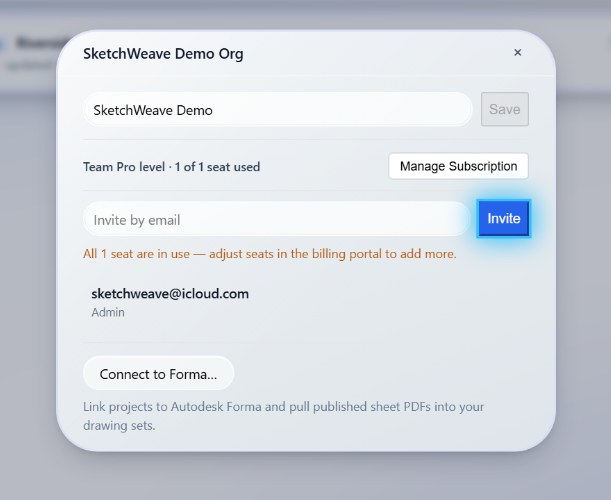
Manage Account shows your current level, Individual, Individual Pro, or Team Pro, and, for a team, N of M seats used.
Upgrade
- Individual → Individual Pro, click Upgrade to Individual Pro and complete checkout (CA$5/month or CA$54/year). Unlimited sheets, views, and projects, solo.
- Individual or Individual Pro → Team Pro, create an organization (CA$8/seat/month or CA$86/seat/year) for shared projects, invites, and messaging. An active personal subscription is cancelled at period end once the team subscription activates, since the seat already covers you.
Toggle monthly / annual before you check out, annual saves about 20%.
Manage an existing subscription
-
Open the billing portal
In Manage Account, open the billing portal (Stripe).
-
Change what you need
There you can adjust seats, update your card, switch billing interval, download invoices, or cancel.
When all seats are in use, add more in the billing portal before inviting again. (See Invite teammates and share projects.)
If a subscription lapses
Nothing locks. Your level simply floors to the next rung down, a lapsed team seat falls back to Individual Pro if you hold one, otherwise Individual, and over-cap content stays readable; it just can't grow until you're active again.
Right-size your plan any time
Add seats as the team grows, switch to annual to save, and manage it all in a couple of clicks.