
Reuse sketches across projects
Your standard details, references, and markups don't belong to a single project. Upload them to your sketch library once and drop them into any sheet or project.
Upload a sketch
-
Open the sketch menu's Upload row
Click the picture button on the dock rail, then the + Upload row, the upload dialog opens.
-
Choose a PDF or image
Pick the file. It's added to your library and ready to use anywhere.
Browse the library
-
Open Sketch Library from the strip
The number beside it is how many sketches you have.
-
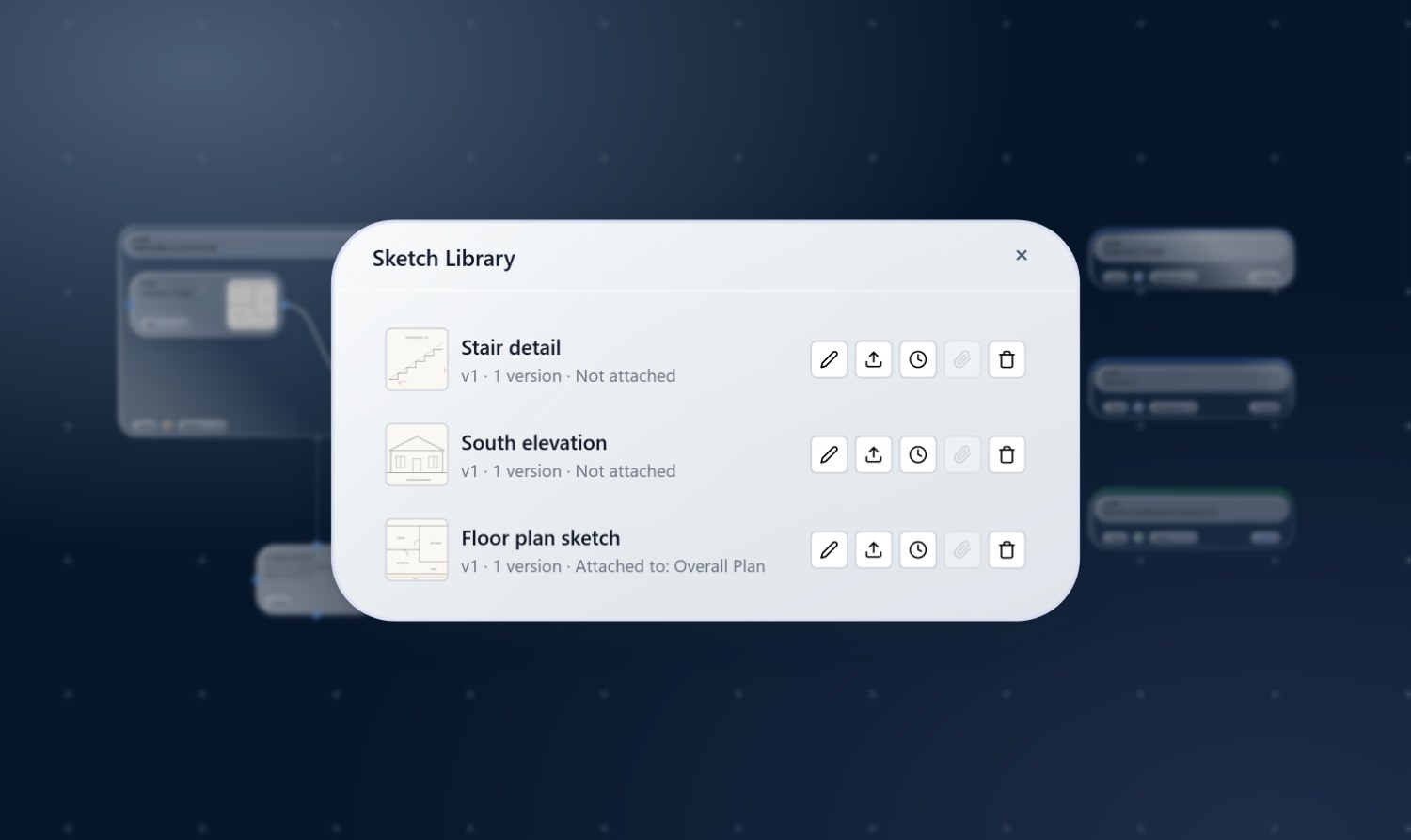
Browse and manage
Rename, review, and manage uploaded sketches. PDFs render a preview so you can tell them apart at a glance.
Attach a sketch to a view
-
Open the sketch menu
Click the picture button on the dock rail, your library flies out as a menu of draggable rows.
-
Drag a sketch onto a view
Drop it on the view, the view now shows that artwork. The same sketch can back views in any number of sheets and projects.
Versions
Upload a new version of a sketch and SketchWeave keeps the history: views referencing it move to the latest version, and you can review earlier ones from the library. One update refreshes every place the sketch is used.
Build your standards once
Fill your library with the details you reach for again and again, then reuse them across every project.