
Keep drawings up to date automatically
The hardest part of issuing a set is making sure every drawing is the latest one. SketchWeave tracks the current version of each drawing, whether it syncs from a local plot folder or Autodesk Forma.
Every drawing keeps a version history
When you plot a drawing into the connected local folder, upload a new version, or sync a fresh publish from Forma, SketchWeave records it as a new version and updates the sheet. Older versions stay in the history, so you can see what changed and restore an earlier one.
Sync drawings from your local print folder
Point SketchWeave to the folder where your team prints drawings. Each new plot syncs online and matches to its sheet automatically, making the latest drawing available to the whole team without a manual upload.
With Forma, the latest is pulled for you
On a linked project, each sync imports the sheet PDFs newly published from your Revit models and advances matched sheets to that version. Set the link to Every hour and it stays current on its own; or press Sync now before a deadline. (See Connect SketchWeave to Autodesk Forma.)
- Forma takes priority on matched sheets: a manual upload is overridden by the Forma version, but kept in the history.
- Unmatched Forma sheets are reported: they are never silently created, so you decide what to add.
- A sync that lands while the project is being edited is deferred: it is not lost and catches up on the next run.
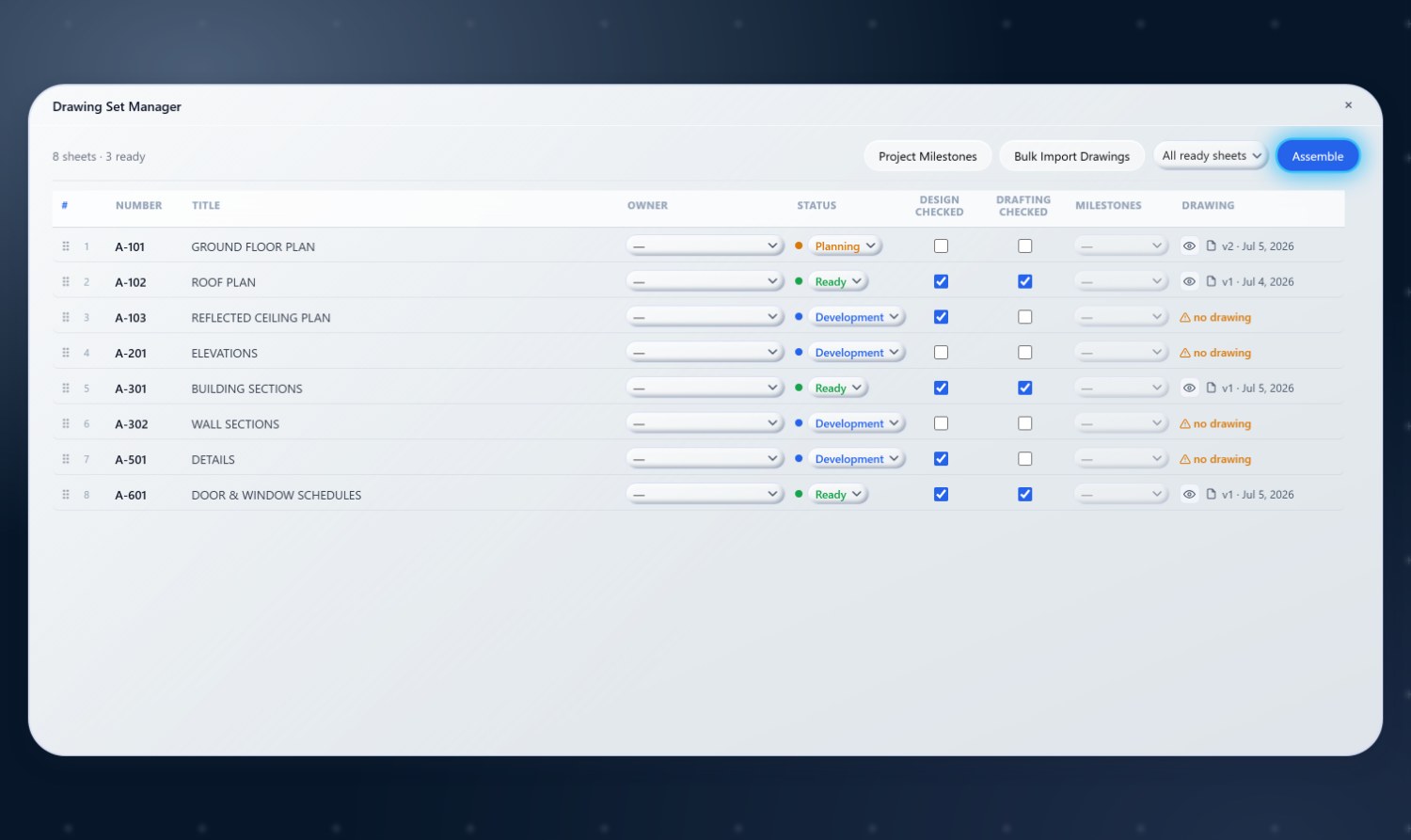
Assemble always uses the current version
Because each sheet already points at its latest drawing, Assemble gathers the current version of every sheet with no extra step. Plan the set, keep it synced, and issue in one click. (See Plan a submission and hit Assemble.)
Stop chasing the latest copy
Let SketchWeave keep every drawing current, so the set you issue is the set you meant to.